How to Know When Your WordPress Site Has Outgrown Shared Hosting (and What to Do Next)

Starting a WordPress website is relatively simple, and choosing an affordable hosting plan is often the first step for beginners. However, as a website attracts more visitors, publishes additional content, and introduces new features, its hosting requirements can change. Shared hosting is an excellent starting point for smaller websites, but it may eventually struggle to support growing traffic and resource demands. Recognising the warning signs early can help website owners avoid performance issues, improve user experience, and choose a more suitable hosting solution.
Your Website Is Becoming Noticeably Slower
One of the earliest signs that your WordPress website has outgrown its hosting environment is consistently slow loading speed. When multiple websites share the same server resources, performance can be affected by the activities of other websites. As your website grows, additional plugins, images, databases, and scripts may consume more server resources.
This can increase page loading times and make navigation frustrating for visitors. Slow websites can also affect search engine performance and conversion rates. If you regularly experience delayed page loading despite optimising images, using caching plugins, and cleaning your database, it may be time to consider upgrading your hosting plan.
Traffic Spikes Frequently Cause Downtime
An increase in website visitors is generally a positive development, but it can create challenges when your hosting resources are limited. A shared server may struggle to handle sudden traffic spikes, particularly during promotional campaigns, product launches, or seasonal events.
You might notice temporary downtime, server errors, or pages that become unavailable when too many visitors access your website simultaneously. If these problems occur frequently, your current hosting environment may no longer provide sufficient capacity. Moving to a hosting plan with more dedicated resources can help your WordPress website handle higher visitor volumes more reliably.
You Receive Resource Limit Notifications
Hosting providers usually establish resource limits for shared hosting accounts. These may include restrictions on CPU usage, memory consumption, database activity, and simultaneous processes. As your website becomes more complex, it may regularly approach or exceed these limits.
Your hosting provider might send notifications about excessive resource consumption or temporarily restrict certain website activities. Such warnings should not be ignored. Review your hosting account’s resource usage and identify whether plugins, background processes, or increased traffic are responsible. If your website consistently requires more resources than your current plan provides, upgrading is a sensible next step.
Your Website Uses More Plugins and Advanced Features
WordPress offers thousands of plugins that help website owners introduce new functionality without extensive coding. However, every additional plugin can increase the demands placed on your hosting environment. E-commerce functionality, membership systems, booking tools, customer databases, and advanced analytics can require additional processing power and memory.
For example, an online store handling hundreds of products and frequent transactions generally needs more resources than a simple personal blog. If your website increasingly depends on resource-intensive features, consider moving to a hosting solution that provides greater flexibility and performance.
Security and Backup Requirements Are Increasing
Website growth often brings additional responsibilities. A business website may store customer information, process transactions, and manage important business data. These activities make reliable security and backup arrangements increasingly important.
Although shared hosting can include useful security features, growing websites may benefit from more advanced monitoring, greater configuration control, and additional server-level protection. Before upgrading, evaluate your provider’s backup frequency, malware scanning, SSL support, and recovery options. Choose a hosting environment that makes it easier to maintain security as your website expands.
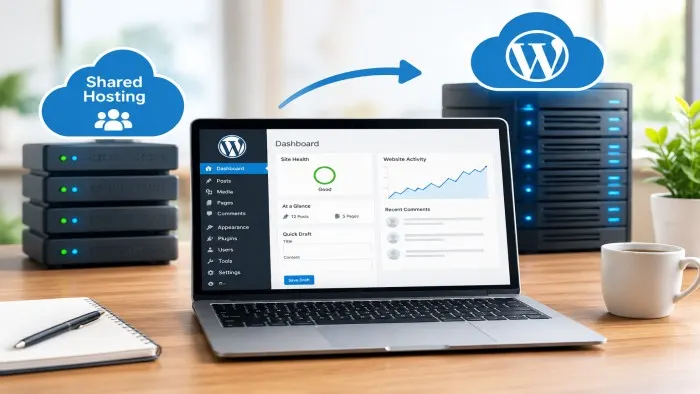
What Should You Upgrade To?
Once you identify these warning signs, the next step is choosing a hosting solution that matches your website’s requirements.
Managed WordPress Hosting: This option is suitable for website owners who want hosting services specifically optimised for WordPress. It may include automatic updates, performance optimisation, backups, and specialised technical support.
Virtual Private Server (VPS) Hosting: VPS hosting provides allocated server resources within a virtualised environment. It offers greater control, scalability, and flexibility than traditional shared hosting, making it suitable for growing websites.
Cloud Hosting: Cloud hosting distributes website resources across interconnected servers. It can provide flexible scaling and help accommodate changing traffic demands.
Dedicated Hosting: Dedicated servers provide an entire physical server for one customer. This option is generally better suited to large websites with substantial resource requirements and advanced configuration needs.
How to Prepare for a Hosting Upgrade
Moving to a new hosting environment requires careful preparation. Start by creating a complete backup of your WordPress files and database. This ensures that you have a recovery option if anything goes wrong during migration. Next, review your website’s resource requirements, traffic patterns, storage usage, and technical needs. Compare hosting plans based on performance, scalability, security, customer support, and pricing rather than choosing the cheapest option.
Providers such as Bluehost offer different hosting solutions that website owners can explore as their online projects expand. Before selecting a plan, check its available resources and confirm that it supports your website’s current and expected requirements. Finally, test the migrated website carefully. Check important pages, forms, payment gateways, plugins, images, and database functionality before directing all visitors to the new hosting environment.
Final Thoughts
Outgrowing shared hosting is often a natural part of website development. Slow loading times, frequent downtime, resource warnings, and increasing technical requirements can indicate that your WordPress site needs a more powerful hosting environment. By monitoring performance and understanding your website’s changing needs, you can upgrade at the right time. Choosing a scalable hosting solution helps maintain reliability, improve visitor experience, and support long-term online growth.