Bridging the Global Gap: A Deeper Look at Krisp’s Real-Time Accent Conversion

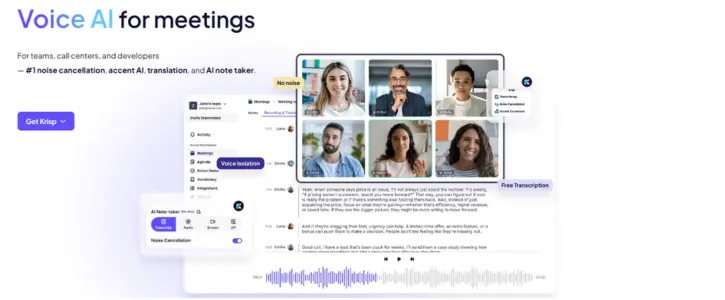
In today’s remote and hybrid work landscape, distributed teams are the norm. While this opens up access to global talent, dialectal variations and regional accents can occasionally introduce subtle communication barriers during fast-paced digital meetings. Miscommunications can stall workflows, extend call times, or cause unnecessary cognitive fatigue.
To solve this, Krisp.ai has evolved its platform. Best known for its industry-standard background noise removal, the application now includes a built-in Accent Conversion tool. This technology is designed to help global professionals communicate smoothly across borders without losing their natural voice identity.
Here is an objective breakdown of how the technology operates, what it feels like to use daily, and its impact on the digital workplace.
What is Krisp Accent Conversion?
Krisp Accent Conversion is a real-time, software-driven audio layer that subtly adjusts specific regional accents—such as Indian-English, LatAm-English, or Filipino-English—into a globally accessible or localized accent profile as the speaker talks.
Unlike generic voice-changing software that can sound robotic or artificial, Krisp utilizes advanced speech-to-speech AI models focused entirely on Voice Preservation. The algorithm modifies only the specific phonetic articulation points and vowel durations required for clarity. It leaves the speaker’s unique vocal timbre, pitch, emotional inflection, and personal tone intact. You still sound like yourself—just completely clear to an international audience.
From Setup to Live Calls: The User Experience
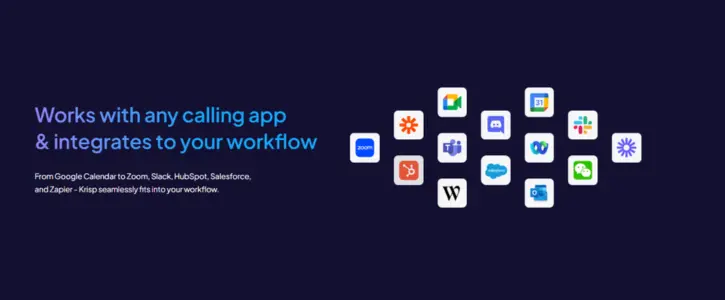
Integrating the feature into a daily meeting routine requires very little friction. Because Krisp operates as a virtual audio device on Windows and Mac, it runs silently underneath your existing communication software, whether you use Zoom, Google Meet, Microsoft Teams, or Slack.
1. The Calibration Step
When first enabling the tool, users go through a brief, one-time calibration. The app asks you to read a short paragraph aloud. This allows the local AI model to map out your specific voice patterns, establishing a baseline to ensure the real-time modifications remain stable and accurate.
2. Live Operation
Once configured, a simple toggle switch in the Krisp dashboard turns the conversion on or off. During live operation, the processing happens instantaneously. There is no noticeable audio lag or unnatural delay in the conversation, allowing for completely fluid back-and-forth dialogue.
Hardware Recommendation: For the cleanest results, using a dedicated USB-wired headset with a close-proximity boom microphone is highly recommended. Standard built-in laptop microphones or highly compressed wireless earbuds can introduce audio artifacts, which can slightly reduce the AI’s ability to precisely isolate subtle phonetic nuances.
Enterprise Impact: Why Workplaces are Deploying It
For global organizations, Business Process Outsourcing (BPOs), and multinational customer support operations, the deployment of real-time accent conversion offers several tangible operational advantages:
- Lowering Cognitive Fatigue: When teams don’t have to constantly strain to catch specific pronunciations or repeat themselves, meetings finish faster and with less mental exhaustion.
- Optimized Metrics: In customer-facing roles, improved initial comprehension directly reduces Average Handle Time (AHT) and elevates customer satisfaction scores.
- Broader Talent Acquisition: HR teams can recruit talent entirely based on technical skill, domain expertise, and general language proficiency, rather than filtering candidates based on regional accent traits.
The Infrastructure: Built on Local Privacy
Data privacy is a paramount concern for modern enterprises handling sensitive corporate data or client disclosures. The most critical design element of Krisp’s system is its on-device architecture.
Rather than routing your live audio to a cloud server to handle heavy machine learning processing—which poses a security risk and introduces latency—Krisp’s models run entirely on your computer’s local hardware. Your voice profile, meeting audio, and real-time streams never leave your machine, ensuring full compliance with corporate data protection policies and strict privacy standards.
Krisp’s Accent Conversion represents a practical approach to modern workspace AI. Rather than replacing human input, it acts as a subtle digital bridge that removes communicative friction while fully respecting personal identity. For teams collaborating globally, it provides a quiet upgrade to daily professional communication.
Discover more workspace innovations and software insights on WhatsNewHub.com.